
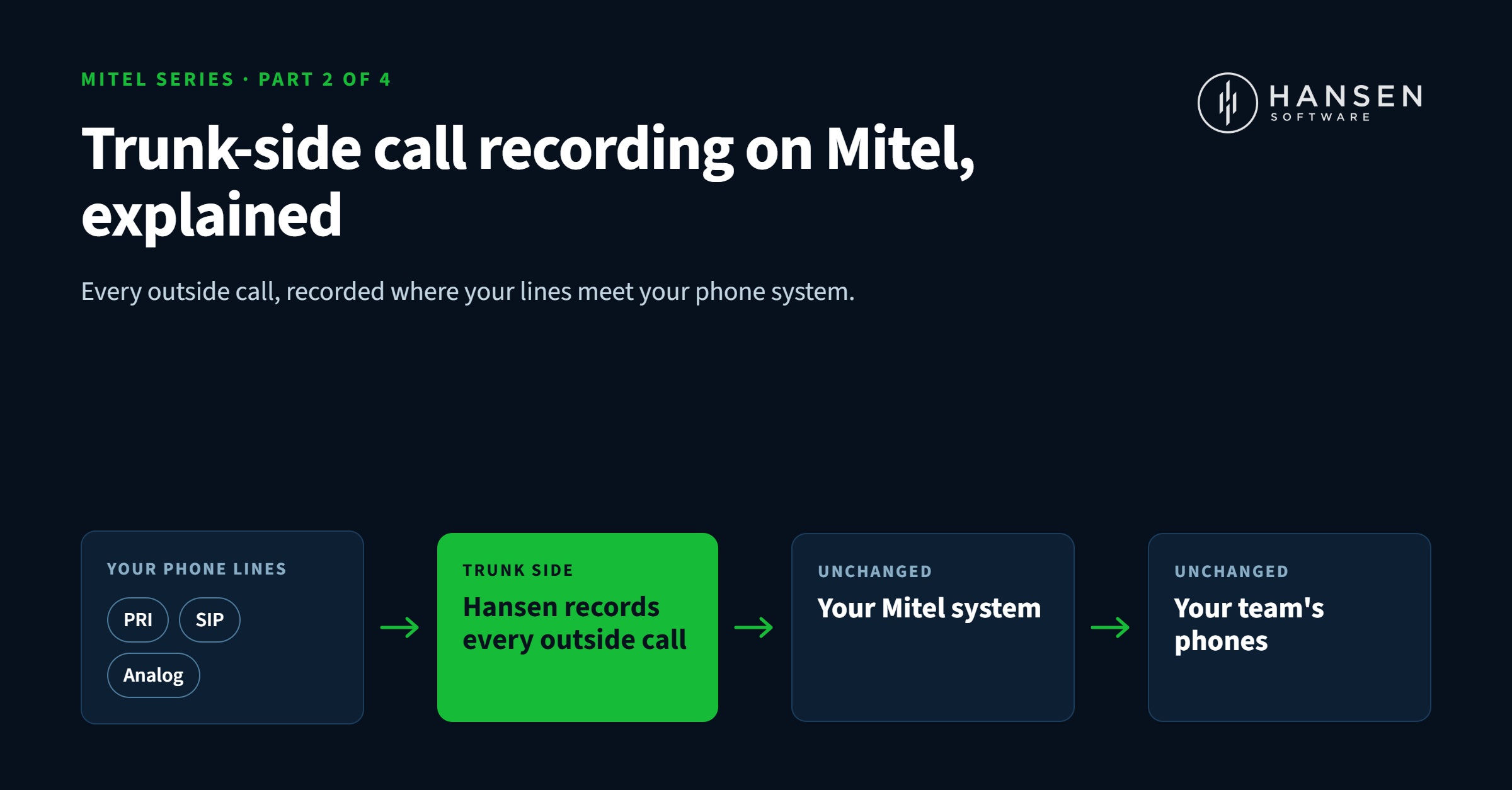
Trunk-Side Call Recording on Mitel, Explained: PRI, SIP and Analog
In Part 1, we covered why every Mitel business should be recording and reporting on its calls. The natural next question is: how does it actually work, and will it work with my setup?
Short answer: yes. Hansen records on all Mitel products, on PRI, SIP or analog lines. Here's what that means in plain English.
What "trunk-side" recording means
Every business phone system has two sides. On one side are your extensions: the desk phones and handsets your team uses. On the other side are your trunks: the lines that connect your Mitel system to the outside world and carry calls to and from your customers.
Trunk-side recording captures calls on those outside lines, right where they enter and leave your building. Hansen connects recording hardware at that point, between your lines and your Mitel system.
That placement has some real advantages:
- Every outside call gets captured, no matter which extension or handset ends up answering it.
- Nothing changes for your team. No new phones, no apps to open, no buttons to press.
- Your Mitel system stays as it is. No rip-and-replace, no reprogramming your extensions.
- It works on older systems too. If your Mitel has been in service for years, it can still be recorded.
One thing to know: because trunk-side recording listens to the outside lines, it's built for calls with customers and vendors. Internal calls from one extension to another don't travel over a trunk.
PRI, SIP or analog: we've got you covered
Mitel systems connect to the outside world in different ways, and many businesses use a mix. Hansen records all three.
PRI lines. A PRI is a digital circuit that carries many calls at once over a single connection, which is common in busier offices. Hansen records each conversation on it separately, so every call has its own recording.
SIP trunks. SIP carries your calls over an internet connection, and it's what many businesses have moved to in recent years. If your Mitel uses SIP, Hansen records it.
Analog lines. Plenty of businesses still rely on traditional phone lines, especially smaller offices and branch locations. They can be recorded just like the rest.
If you're moving from one type to another, say analog to SIP, your recording can move with you. You don't need a new system to keep recording.
What you get from every recording
Capturing the call is only the start. Here's what Hansen Call Recording gives you once it's in place:
- Fast search. Every recording is linked to its call record. Filter by date, caller ID, number dialed, extension, department, duration or call type.
- Easy playback. Listen right in your browser, or download as MP3 or WAV.
- Years of storage. Keep recordings for years, not the 60 to 90 days many hosted services allow.
- Real security. Recordings are encrypted at rest and in transit, and role-based permissions control who hears what.
- One-click transcripts. Add Hansen Transcription and turn any call into searchable text.
- Reporting to match. Pair it with Call Reporting & Analytics to see the patterns across all your calls, not just one at a time.
We set it up with you
You don't have to figure any of this out alone. Our team handles remote installation and configuration with you, and we don't leave until it's working. Then you get unlimited training, a full year of unlimited support and 24/7 emergency help, all included through Software Assurance Coverage. You can run Hansen on your own server or let us host it for you.
For Mitel resellers
If you install and support Mitel systems, trunk-side recording is an easy add to any deal, new or existing. Hansen is always looking for resellers across North America, and we provide the sales materials, technical guidance and installation help to make it simple. See how our partner program works.
See it on your Mitel system
Not sure which line type you're on, or how recording would fit your setup? That's exactly what our team is here for. Book a live demo, check the systems we support, or call us toll-free at 1-877-795-2274 (Mon–Fri, 7am–4pm PST).
Next up in Part 3: how businesses in every industry put Mitel call recording to work.